
Home / Getting Started / Character Creation
Character Creation
Creating your character in Vega Realms happens directly in-game, after logging into your account.
Character Slots
Once you log in, you will see a list of your available character slots.
- If you already have characters, they will appear in this list
- If you have empty slots, you will see "New Character"
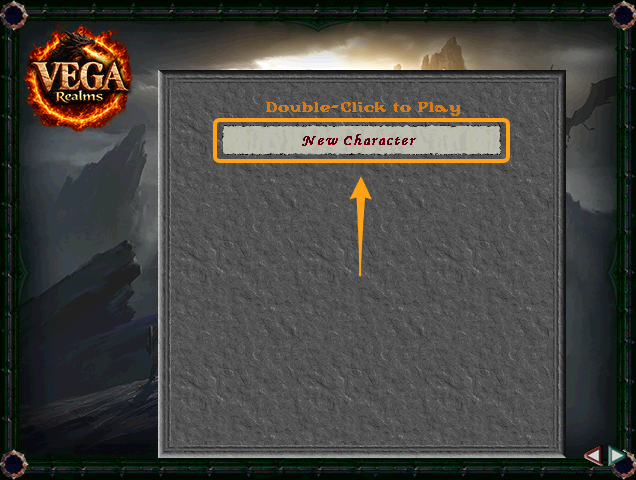
👉 Selecting "New Character" will open the character creation screen.
Creating a New Character
When you select New Character, you will enter the character creation interface.
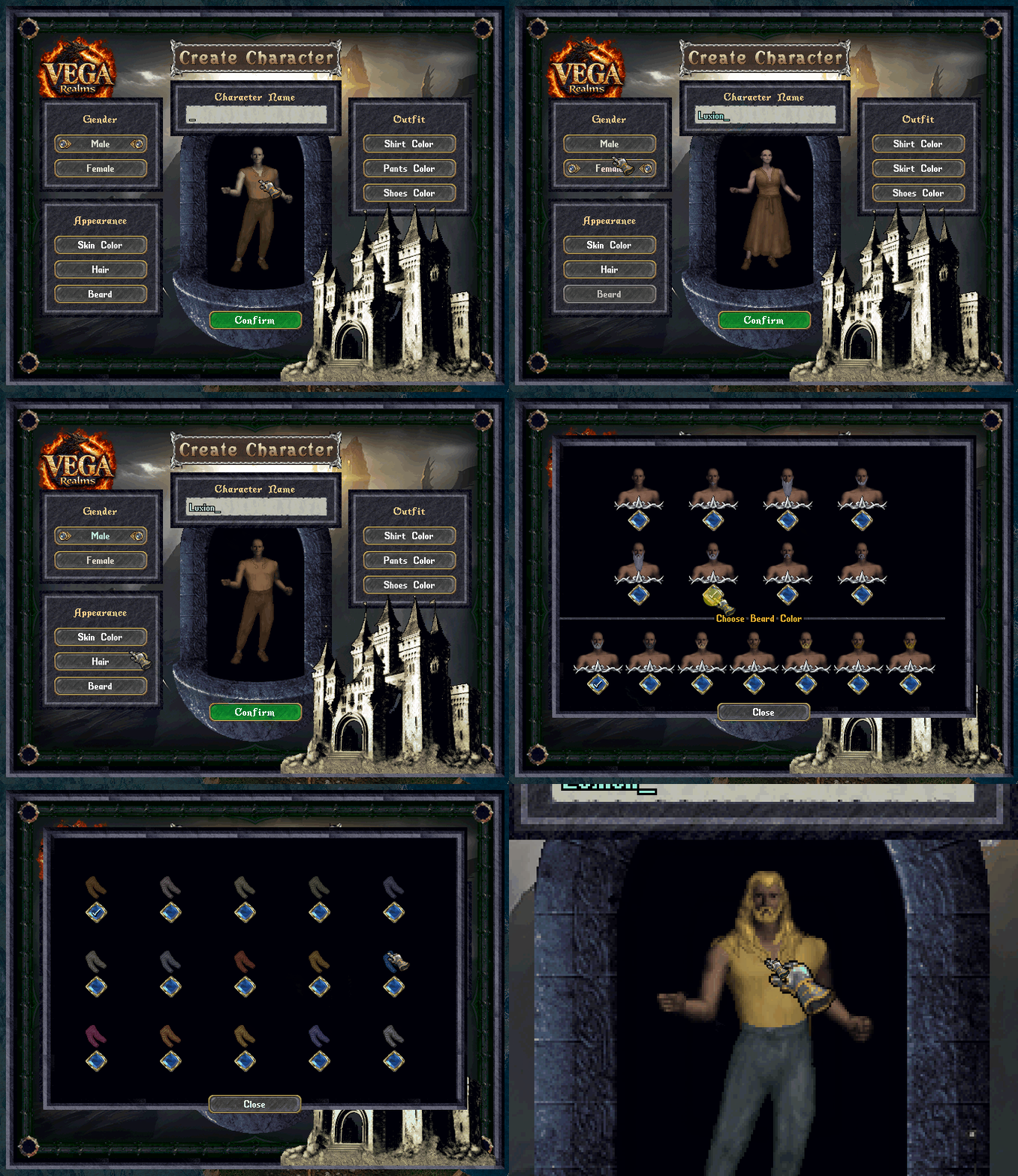
Here you can fully customize your character:
Appearance
- Gender
- Skin color
- Hair style and color
- Beard style and color (if applicable)
Outfit
- Choose the starting clothing colors
Identity
- Enter your character name
👉 This name will represent you in the world, so choose it carefully.
Finalizing Your Character
Once you are happy with your choices:
- Confirm your character
- Enter the world
👉 From here, your journey in Vega Realms begins.
Tips
- You can create multiple characters if you have available slots
- Your appearance does not affect gameplay, but defines your identity
- Choose a name that fits the world and is easy to recognize
👉 Your character is your presence in Vega — make it yours.