
Logging into Vega Realms
Logging into Vega Realms is simple.
There is nothing to download, nothing to install, and nothing to configure.
We use ClassicUO Web, which runs directly in your browser.
Step 1: Create your account
Before you can log in, you must create an account.
Go to the Register page and choose:
- a Username
- a Password
Confirm your registration.
Make sure you remember your login details.
Step 2: Open the game
Once your account is created:
- Open ClassicUO Web from the website by clicking Play Now
- The game will load directly in your browser
- You will download automatically all the needed file in your browser.
No download required
No launcher
No patching
We will only distribute our launcher .exe only via our GitHub Issues & Releases Tracking
Be Careful.
Do not trust any other source a part of our official GitHub Repository
Step 3: Log in
When the game loads, you will see the login screen.
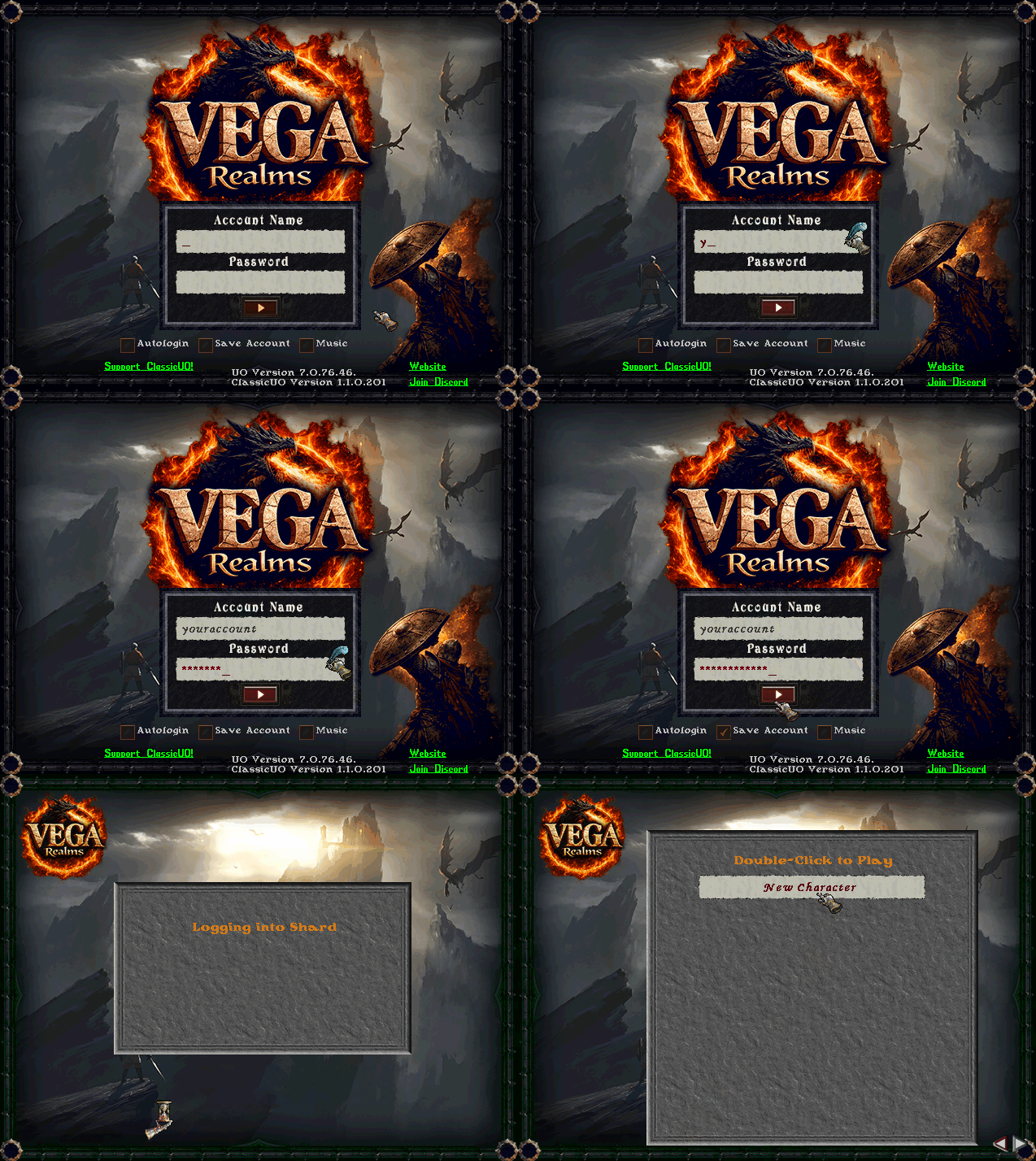
Enter:
- Username → the one you created
- Password → the one you chose
Click Login.
If your details are correct, you will enter the game immediately.
Characters
You are allowed to have a maximum of 5 characters on your account. If you have slots available, you will see a "New Character" slot which you can double-click and start creating your character. See Character Creation for reference.
Common mistakes
Wrong username or password
Trying to use another client
Account not created yet
Important
Vega Realms works ONLY with ClassicUO Web.
It will NOT work with:
- the official Ultima Online client
- Steam
- any external launcher
Quick Recap
- Create account
- Open ClassicUO Web
- Log in
- Play